
Check the work you do every day.
Use the seven-day Pro trial to explore services, appointments and client records. Check which features your business needs and the plan they require. Payment-account approval is separate.
FOR UK SALON OWNERS PLANNING A MOVE
Your clients, your service menu and the appointments already in the diary matter. Try Muluno, check what can move and agree the details before making the change.
Free managed migration can help with supported client, staff, service and future appointment records. It is subject to review of your export and records, not a promise that everything transfers.
7 days of Pro. No card. No automatic charge.
THREE THINGS TO DO BEFORE THE CHANGEOVER
A new system needs to fit the way your business works, not just look good in a screenshot.
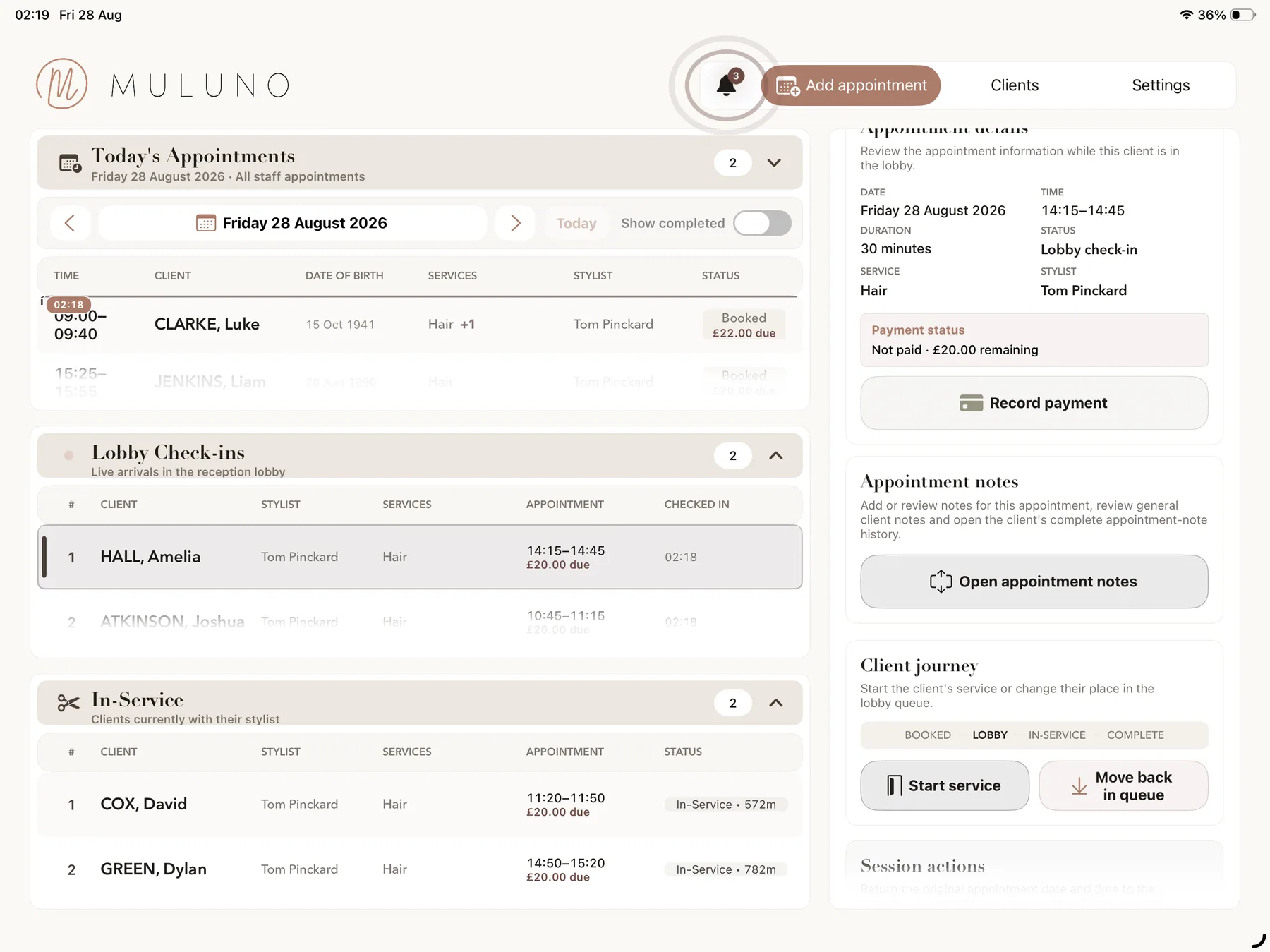
Use the seven-day Pro trial to explore services, appointments and client records. Check which features your business needs and the plan they require. Payment-account approval is separate.
Tell support which system you use and which record types you want to move. Do not send client files at this stage. Agree a secure transfer method before sharing any client data.
Confirm what can be transferred, prepare services and availability, and check the future appointments. Agree when to change your public booking links and handle any bookings still made in the old system.
Free managed migration is subject to review of supported exports and records. No payment method is needed for the seven-day Pro trial and there is no automatic charge. Keep access to your current system while you review the move.
FREE MIGRATION HELP, SUBJECT TO REVIEW
We can help transfer supported client, staff, service and future appointment records at no charge. The first step is to understand your current system, the records you need and the export it can provide.
Email support@muluno.com with the system name and record types, without attaching client files or including client details. Support will confirm the next steps and agree how to transfer any required files securely before you send them.
Review comes first. Full historical appointments, notes, completed consultation forms, consent records, payment data and subscriptions are not guaranteed to transfer. There is no automatic live sync with another provider.
Ask about your current systemLOOK BEYOND THE FIRST SCREEN
Try creating a service with the price, duration and buffer you need. Open an appointment and look at where the client details, general notes and visit notes sit. Use sample details while you explore rather than uploading a client list before the transfer has been agreed.
Check the plan against your business. Free is for one owner. Grow adds staff, custom forms, website customisation and approved payments; Pro adds the paired iPad and kiosk workflows. Choose the features you need, not just the ones you happen to see during the trial.
Grow includes the owner plus up to five team members; Pro supports unlimited team members, subject to fair use. Payments require Grow or Pro, business verification, a signed agreement and Stripe approval. Supported-device requirements, security allowances and Stripe processing fees apply.
Check the staff features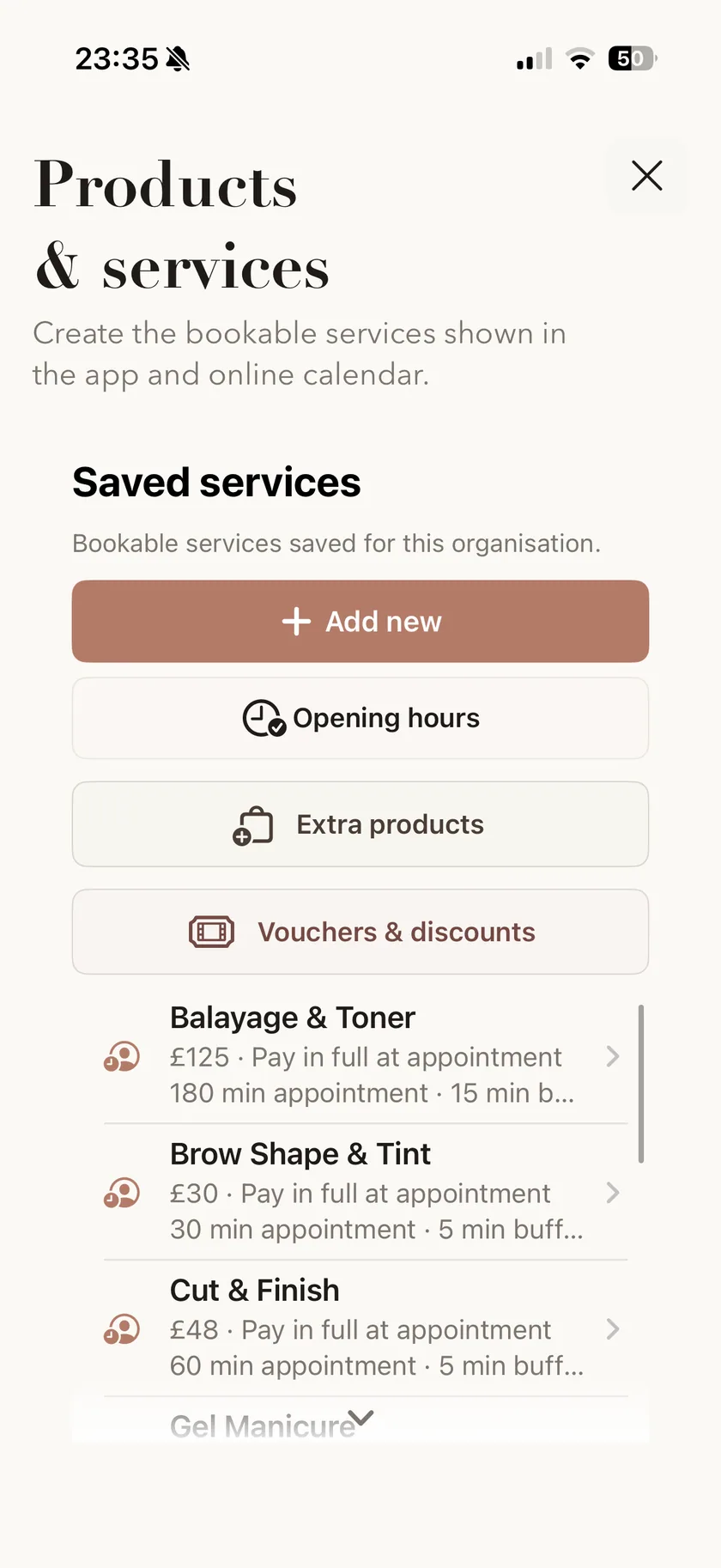
FUTURE APPOINTMENTS DESERVE A SEPARATE CHECK
Once support has confirmed what is supported, agree the transfer scope and timing. Check client and staff records, service prices and durations, opening hours and staff availability against what you intend to offer.
Review the supported future appointments after transfer, including dates, times, services and the relevant team member. Keep track of anything booked or changed in your old system during the agreed changeover period so it can be handled deliberately.
Availability, service assignments and staff hours need to be configured and checked. A reviewed data transfer is not a promise of continuous synchronisation, automatic reconciliation or a changeover without interruption.
CHANGE THE PUBLIC LINK WHEN YOU'RE READY
Complete the Muluno booking website setup and check the services and times a client can choose. Publishing requires a verified owner email, the current agreement and completed website checks. Payment setup is separate; an old provider's payment arrangement does not automatically become a Muluno payment account.
When the changeover is agreed, update your social profile, website and other booking links. Check the old provider's export and account-closing process before ending access, and keep the records you need in an appropriate place.
Free includes a simple booking page. Grow and Pro add full website customisation and a booking widget for an existing site. Full migration scope, timing and transfer method must be agreed before sharing client data or relying on transferred records.
See the booking website optionsTRY THE WORKFLOW BEFORE CHOOSING YOUR PLAN
Try Pro for seven days without a payment method or automatic charge. Then stay on Free or choose a monthly plan.
Appointments, client records and notes, services, a simple Muluno booking page and email reminders.
Everything in Free, plus website customisation and a booking widget, custom emailed consultation forms, standard insights and approved payments.
Owner plus up to five team members, with individual hours and leave. You can use Grow without adding staff.
Everything in Grow, plus kiosk check-in, paired client-room iPads, advanced financial and team insights and unlimited team members, subject to fair use.
UK App Store prices shown; confirm current pricing before purchase. Paid plans renew monthly unless cancelled in your Apple account settings. SMS credits are purchased separately on eligible plans. Payments require business verification, a signed agreement and Stripe approval; Stripe processing fees, supported-device requirements and security allowances apply. Compare all plan features →
Free managed migration can help transfer supported client, staff, service and future appointment records, subject to review of supported exports and records. Contact support first to confirm what can move, the scope and the transfer method. It is not a guarantee that every record or field can be transferred.
Email support@muluno.com with your current system's name and the record types you want to move. Do not attach client files or include client details in that first enquiry. Agree a secure transfer method with support before sharing any client data.
That is not guaranteed. The reviewed migration scope covers supported client, staff, service and future appointment records. Full historical appointments, notes, completed consultation forms, consent records, payment data and subscriptions are not guaranteed to transfer. Ask support to review the export before relying on a particular record type being included.
No automatic live sync with another provider is promised. Migration is a reviewed transfer of supported records, not continuous synchronisation. Agree a changeover period and a way to handle any bookings or changes still made in the old system.
Yes. Try Pro for seven days without a payment method or automatic charge. Explore services, appointments and records using sample details while you check the workflow. The management app is on iPhone and iPad; the browser workspace is in private preview. Payment-account verification and approval remain separate requirements.
Confirm the agreed migration scope, then review services, prices, durations, business opening hours, staff availability and supported future appointments. Complete the booking website setup and check the client booking journey. Publishing requires a verified owner email, the current agreement and completed website checks. Plan how any changes in the old system will be handled.
No automatic transfer is guaranteed. Muluno payments require Grow or Pro, business verification, a signed agreement and Stripe approval. Supported-device requirements and security allowances apply. Muluno adds no transaction fee, but Stripe processing fees still apply. A Muluno subscription and an existing provider's account or subscription are separate arrangements.
Stay on Free or choose a monthly Grow or Pro subscription. No payment method is required for the seven days and there is no automatic charge. Free is for one owner; Grow and Pro are required for staff and other paid features. Paid subscriptions renew monthly unless cancelled in your Apple account settings. SMS credits are purchased separately on eligible plans. Migration support remains subject to review of supported exports and records.
A MOVE WORTH PLANNING PROPERLY

Available now on iPhone and iPad. 7 days of Pro. No card. No automatic charge.