
Set your service and payment option.
Give each service a price and duration. On an approved Grow or Pro payment account, choose a deposit or full payment for online bookings.
FOR UK SALON OWNERS · BOOKINGS & APPROVED PAYMENTS
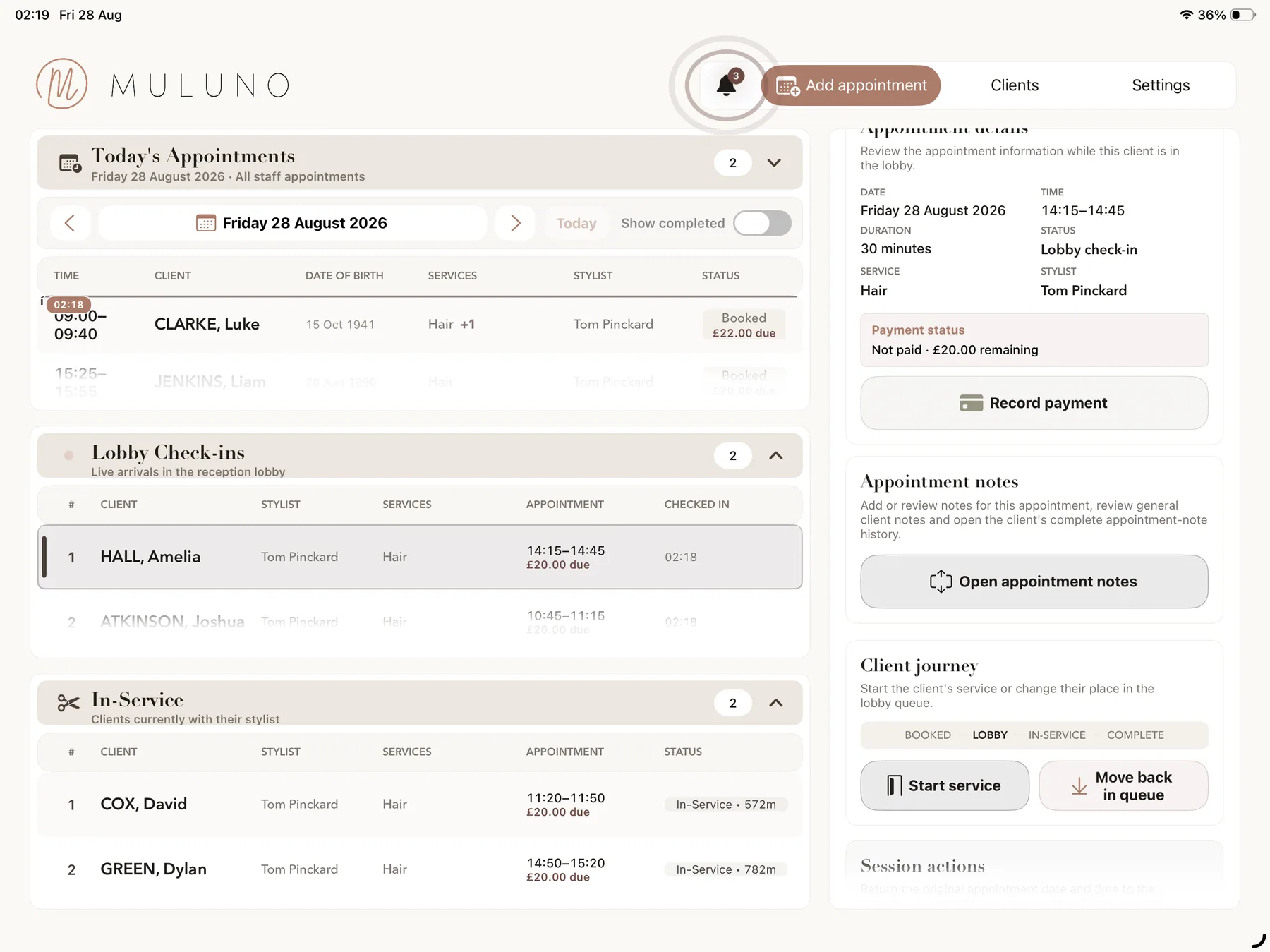
Take a deposit when a client books, see what's left to pay and collect the balance at the end of the visit. Keep it with the appointment in Muluno.
Free covers your booking essentials. Payments are on Grow and Pro, subject to business verification, a signed agreement and Stripe approval.
7 days of Pro. No card. No automatic charge.
ONE VISIT, FROM BOOKING TO CHECKOUT
The payment is part of the visit, not a separate detail to match up later.
Give each service a price and duration. On an approved Grow or Pro payment account, choose a deposit or full payment for online bookings.
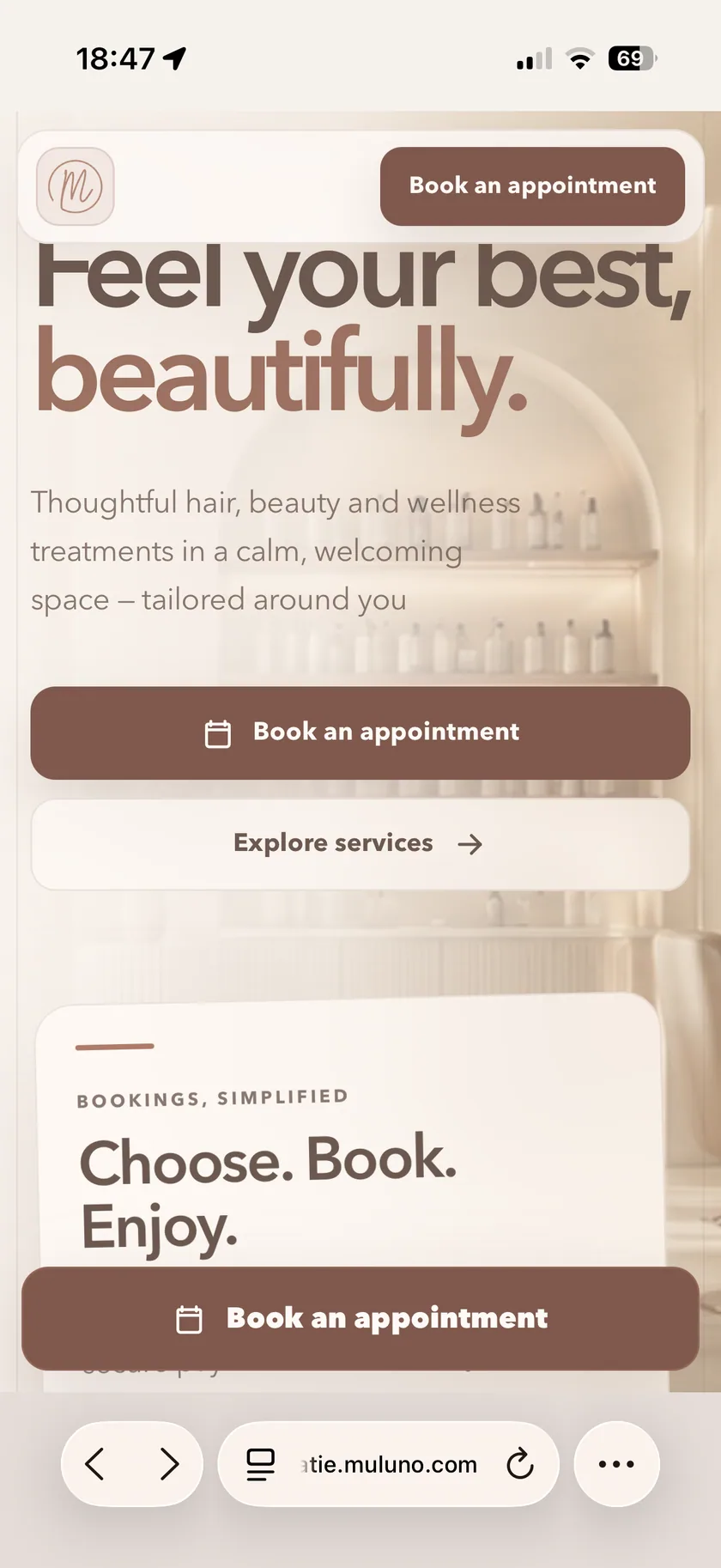
Clients choose a service and available time on your booking website. A deposit leaves an outstanding balance you can check from the appointment.
Use Tap to Pay on a supported iPhone or a supported Stripe reader. Review the appointment's payment record and arrange the next visit before the client leaves.
Payments require Grow or Pro, business verification, a signed agreement and Stripe approval. Stripe processing fees, supported-device requirements and security allowances apply.
A BOOKING LINK WITH YOUR PAYMENT OPTIONS
Share your published Muluno booking link in your social profile, on your website or in a message. Clients choose a service and an available time in their browser, as a guest or with a client account. They don't need the management app.
On an approved Grow or Pro account, choose a deposit or full payment at online booking. Free includes a simple booking page and email reminders, but not the payment features. Grow and Pro also add website customisation and a booking widget for an existing site.
Publishing requires a verified owner email, the current agreement and completed website checks. Payment setup is separate and requires business verification, a signed agreement and Stripe approval. SMS credits are purchased separately on eligible plans.
IN-PERSON PAYMENTS ON GROW & PRO
With Tap to Pay on a supported iPhone, accept contactless cards and digital wallets without a separate card reader. Check the appointment's outstanding balance, then take the payment at the end of the visit.
Prefer a reader? Supported Stripe readers are another option. The management app also runs on iPad, but Tap to Pay is an iPhone feature, not an iPad payment method.
Tap to Pay requires Grow or Pro, an approved Stripe payment account, a supported iPhone and the applicable device and security allowances. Business verification and a signed agreement are required; approval is not automatic.
THE SERVICE, CLIENT AND PAYMENT TOGETHER
Look at the visit's payment record alongside its service details and client notes. See an outstanding balance, review payments and manage refunds from the appointment, rather than relying on a note elsewhere.
The same appointment can hold the notes you want for the next visit. Keep the record up to date and arrange the next booking while the client is still with you.
Payment records are appointment records, not a replacement for your accounting, tax or payroll system. Payments and refunds remain subject to payment-account permissions and requirements.
KNOW THE REQUIREMENTS BEFORE YOU START
Muluno does not add a transaction fee to your payments. Your Grow or Pro subscription and Stripe's own processing fees are separate costs, so 'no Muluno transaction fee' does not mean card processing is free.
Complete your business verification, sign the payment agreement and connect an account that Stripe approves before taking payments. Approval, supported devices and security allowances determine which payment methods you can use.
Payment-account approval is not automatic. Contact support if you need help understanding the setup requirements.
Ask about payment setupFREE FOR BOOKINGS. GROW OR PRO FOR PAYMENTS.
Try Pro for seven days without a payment method or automatic charge. Then stay on Free or choose a monthly plan.
Appointments, client records and notes, services, a simple Muluno booking page and email reminders.
Everything in Free, plus website customisation and a booking widget, custom emailed consultation forms, standard insights and approved payments.
Owner plus up to five team members, with individual hours and leave. You can use Grow without adding staff.
Everything in Grow, plus kiosk check-in, paired client-room iPads, advanced financial and team insights and unlimited team members, subject to fair use.
UK App Store prices shown; confirm current pricing before purchase. Paid plans renew monthly unless cancelled in your Apple account settings. SMS credits are purchased separately on eligible plans. Payments require business verification, a signed agreement and Stripe approval; Stripe processing fees, supported-device requirements and security allowances apply. Compare all plan features →
MOVING FROM ANOTHER SYSTEM?
We can help transfer supported client, staff, service and future appointment records at no charge. Contact us first so we can review your export and confirm what can be moved.
Ask about your recordsFree managed migration is subject to review of supported exports and records.
No. Free includes appointments, client records and notes, services, a simple booking page and email reminders for one owner. Payment features, including online deposits and Tap to Pay, are on Grow and Pro and require business verification, a signed agreement and Stripe approval.
On an approved Grow or Pro payment account, choose a deposit or full payment when clients book online. A deposit leaves an outstanding balance on the appointment, which you can collect at the end of the visit. Stripe processing fees and the applicable payment-account requirements still apply.
Not for Tap to Pay on a supported iPhone. It accepts contactless cards and digital wallets without a separate card reader. Supported Stripe readers are another option. Grow or Pro, business verification, a signed agreement, Stripe approval and the applicable device and security allowances are required.
Tap to Pay is available on a supported iPhone, not iPad. You can use the Muluno management app on iPhone and iPad, subject to system requirements. The browser workspace is in private preview. Payment-account approval, supported-device requirements and security allowances apply.
No. Muluno adds no transaction fee, but Stripe charges its own processing fees. A Grow or Pro subscription is also required for payment features. Subscription costs and Stripe processing fees are separate.
You must first have Grow or Pro, complete business verification, sign the payment agreement and receive Stripe approval. Approval is not automatic. Supported-device requirements and security allowances also determine which payment methods are available to your account.
Yes. Review payment records and manage refunds from the appointment, subject to payment-account permissions and requirements. The records stay alongside the visit details. Muluno's appointment payment records do not replace your accounting, tax or payroll system.
Stay on Free or choose a monthly Grow or Pro subscription. No payment method is required for the seven days and there is no automatic charge. The trial does not bypass payment-account verification or approval. Paid subscriptions renew monthly unless cancelled in your Apple account settings. SMS credits are purchased separately on eligible plans.
FOR THE BUSINESS BEHIND EVERY APPOINTMENT

Available now on iPhone and iPad. 7 days of Pro. No card. No automatic charge.