
Set the time you need.
Give a standard cut, skin fade or beard appointment its own price and duration. Create a separate cut-and-beard service if you offer one, with enough time for the whole visit.
FOR UK BARBERS & BARBERSHOPS
A skin fade, a beard tidy or a cut before work. Give each service its own slot and keep the booking, client notes and payment record together in Muluno.
Run your own barbering business or manage a shop team on iPhone and iPad. Clients book from the services and times you make available in their browser.
7 days of Pro. No card. No automatic charge.
PUT YOUR SERVICE MENU INTO THE DIARY
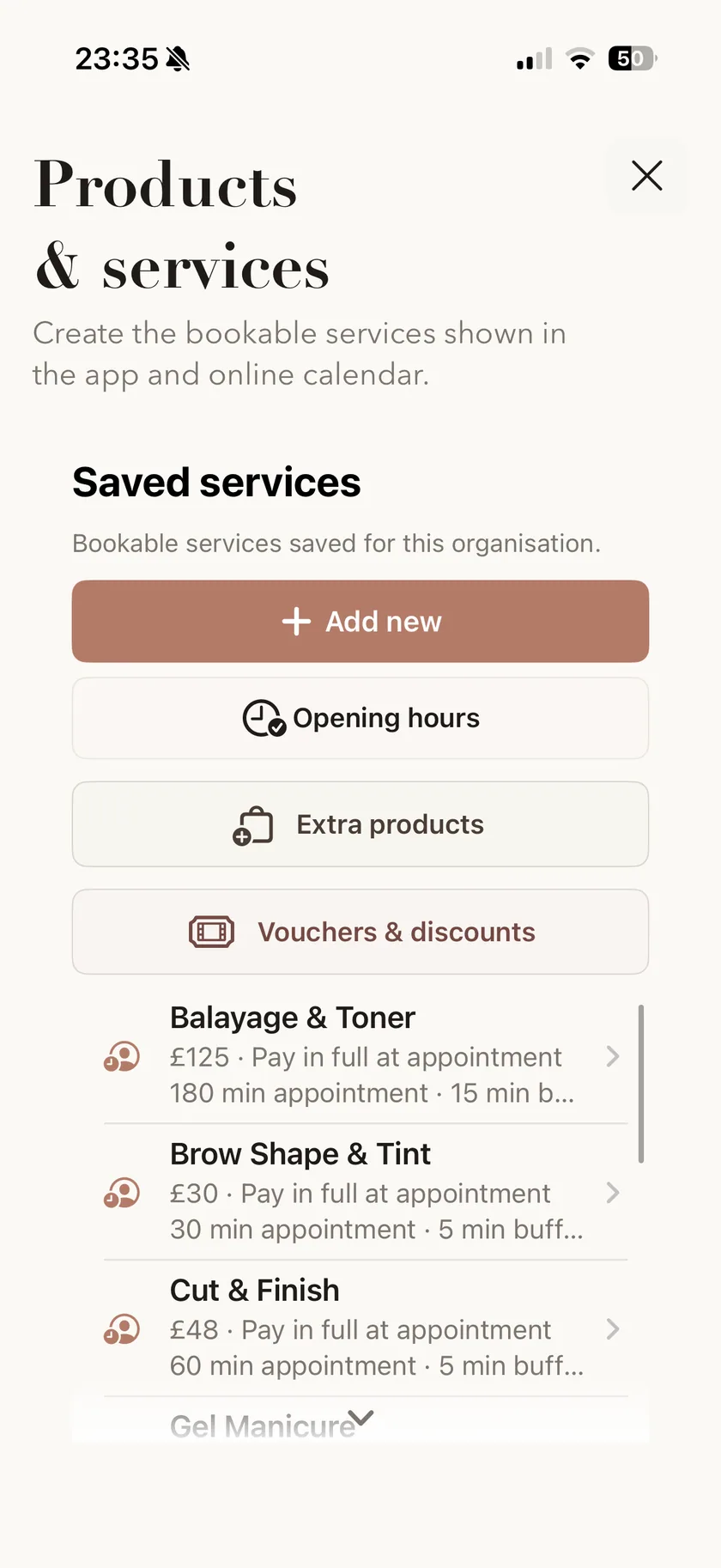
Set up the cuts and beard services you offer, using the prices and timings that work in your shop.
Give a standard cut, skin fade or beard appointment its own price and duration. Create a separate cut-and-beard service if you offer one, with enough time for the whole visit.
Add a buffer after a service for cleaning, making notes or preparing for the next client. The booked slot follows the duration and buffer you configure.
Before the client leaves, arrange their next appointment and save any notes from this one. You decide when they return; there is no need to keep that detail in your head.
Service names, prices and timings are set by you. Each appointment occupies one continuous booked slot, with any buffer afterwards.
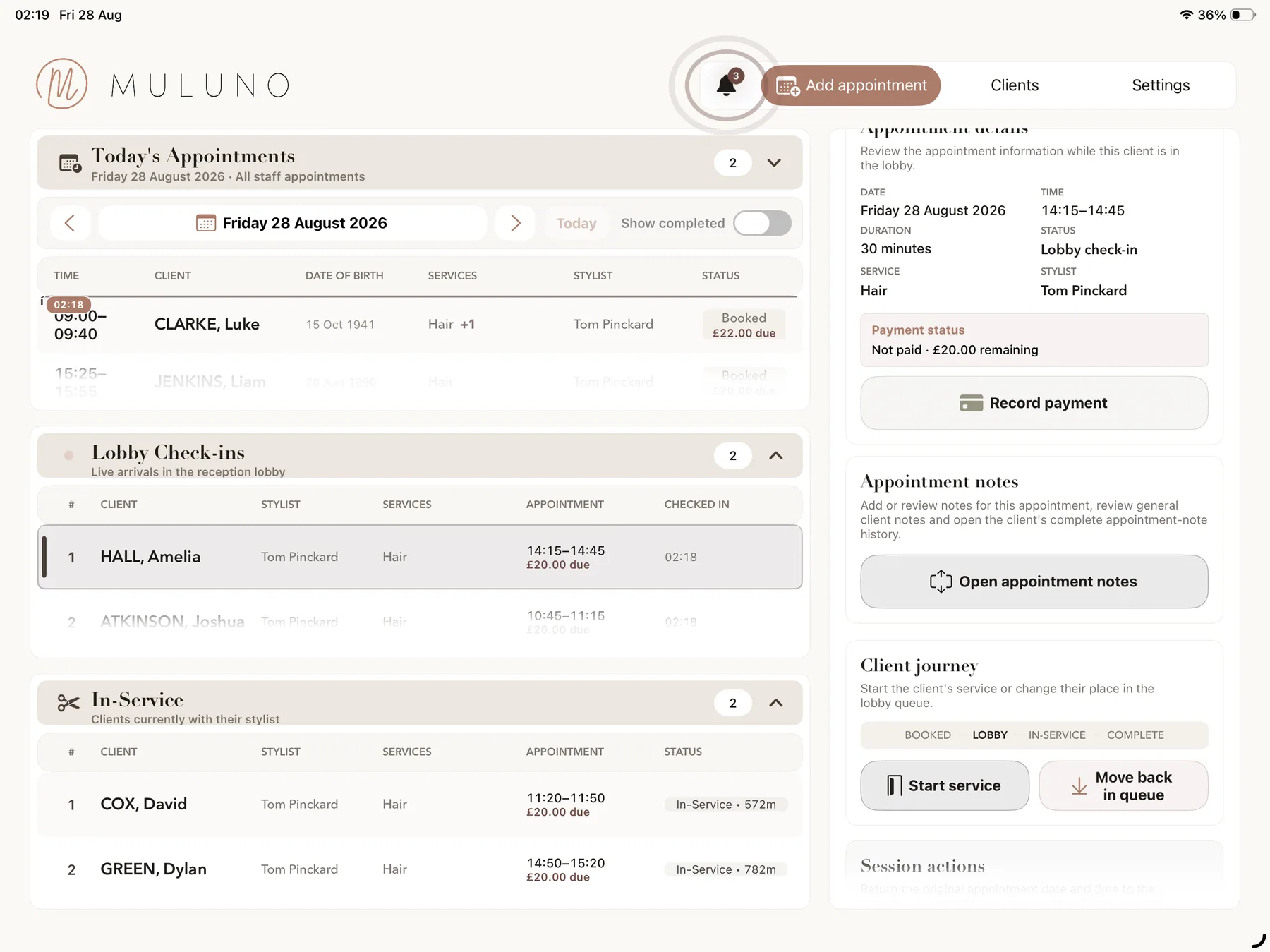
BOOKED, ARRIVED, IN SERVICE, COMPLETE
Use your diary to check what's booked. On Grow and Pro, use the lobby and in-service workflow to follow arrivals through the visit. Open the appointment when you need the service details or the amount still owed.
Keep general client preferences in their record and notes about a particular cut with that visit. Next time, look back at the appointment history before you start.
The lobby and in-service workflow require Grow or Pro. They are not an automated walk-in queue or a prediction of waiting times.
A BOOKING LINK FOR YOUR SHOP
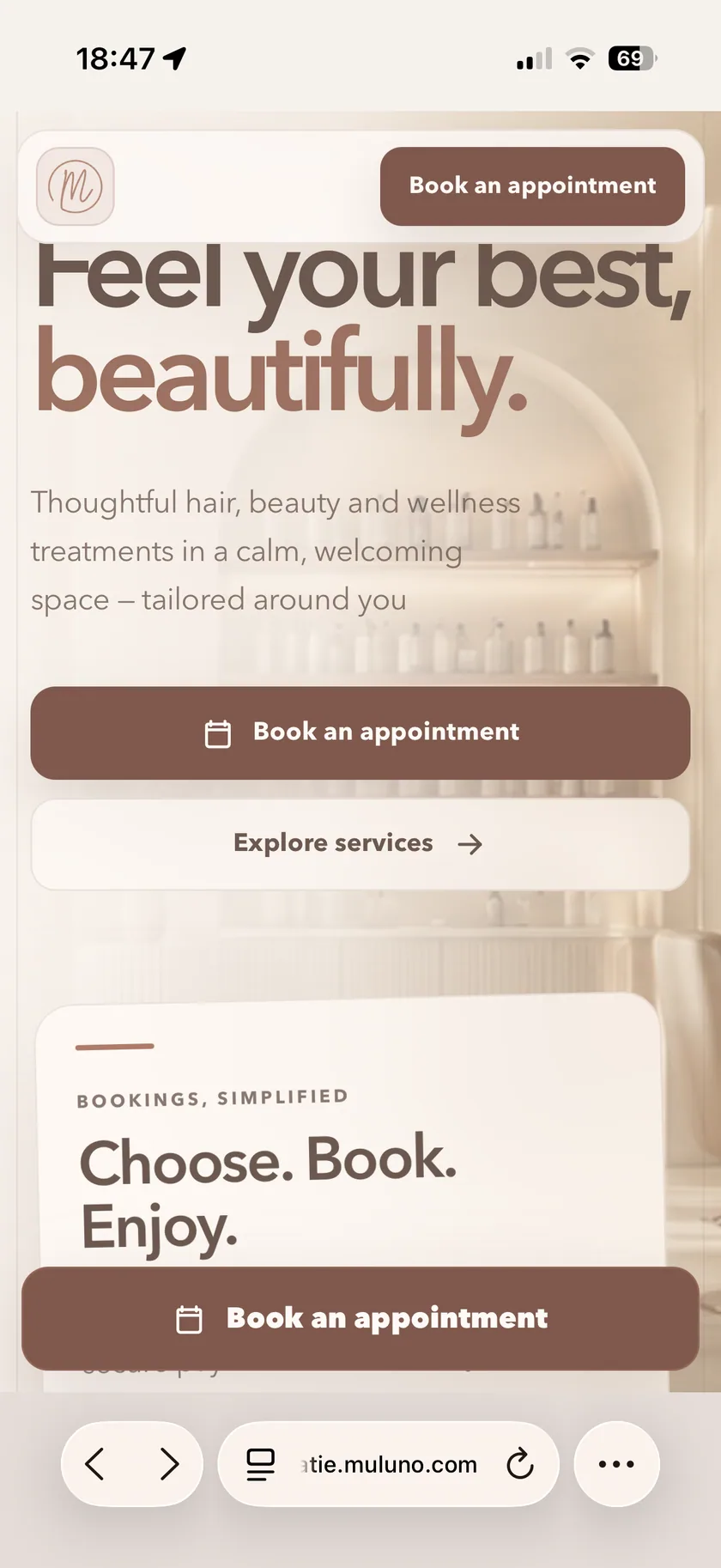
Once your booking website is set up and published, share its link in your social profile, on your website or in a message. Clients can choose a service and an available appointment as a guest or with a client account, without downloading the management app.
Free includes a simple Muluno booking page and email reminders. Grow and Pro add full website customisation and a booking widget for an existing website. Where you enable staff selection on an eligible plan, clients can choose a barber who provides that service.
Publishing requires a verified owner email, the current agreement and completed website checks. Staff features are on Grow and Pro. SMS credits are purchased separately on eligible plans.
STAFF HOURS AND LEAVE ON GROW & PRO
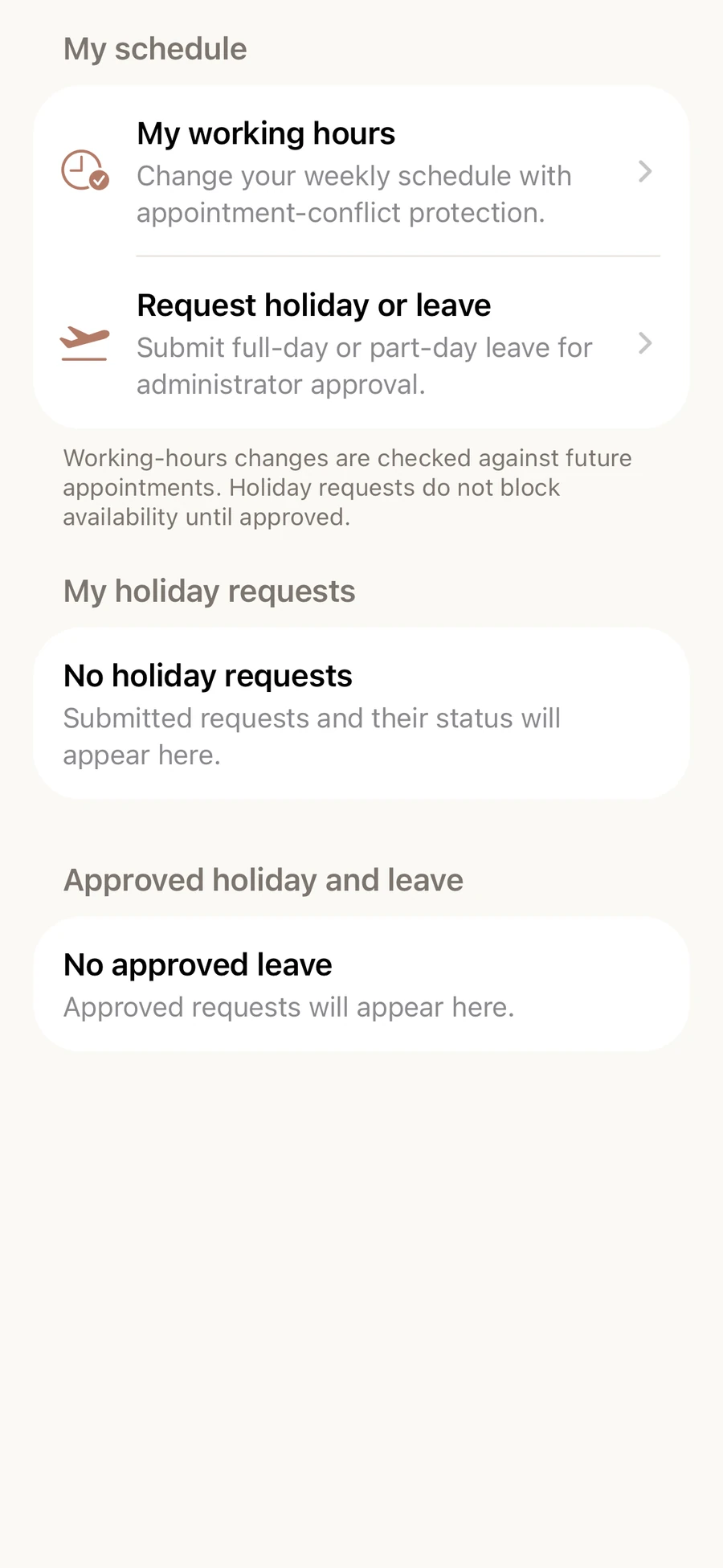
Set individual working hours and breaks, then choose who can provide each service. Online availability follows those settings, so a client's choice of barber is based on the people eligible for that appointment.
Review full-day and part-day holiday requests and tailor staff roles and access. A holiday request affects availability only after it is approved.
Grow includes the owner plus up to five team members. Pro supports unlimited team members, subject to fair use. If you work alone, Free covers your own appointments; you can also choose Grow without adding staff.
DEPOSITS AND PAYMENTS ON GROW & PRO
Choose a deposit or full payment when clients book online. At the end of the appointment, see the outstanding balance and accept contactless cards and digital wallets with Tap to Pay on a supported iPhone, without a separate card reader.
Muluno adds no transaction fee. Stripe's own processing fees still apply. Keep payment records with the appointment, manage refunds and make the next booking in the same app.
Payments require Grow or Pro, business verification, a signed agreement and Stripe approval. Supported-device requirements and security allowances apply. Plan subscriptions and Stripe processing fees are separate.
FOR YOUR OWN BUSINESS OR THE WHOLE SHOP
Try Pro for seven days without a payment method or automatic charge. Then stay on Free or choose a monthly plan.
Appointments, client records and notes, services, a simple Muluno booking page and email reminders.
Everything in Free, plus website customisation and a booking widget, custom emailed consultation forms, standard insights and approved payments.
Owner plus up to five team members, with individual hours and leave. You can use Grow without adding staff.
Everything in Grow, plus kiosk check-in, paired client-room iPads, advanced financial and team insights and unlimited team members, subject to fair use.
UK App Store prices shown; confirm current pricing before purchase. Paid plans renew monthly unless cancelled in your Apple account settings. SMS credits are purchased separately on eligible plans. Payments require business verification, a signed agreement and Stripe approval; Stripe processing fees, supported-device requirements and security allowances apply. Compare all plan features →
MOVING FROM ANOTHER SYSTEM?
We can help transfer supported client, staff, service and future appointment records at no charge. Contact us first so we can review your export and confirm what can be moved.
Ask about your recordsFree managed migration is subject to review of supported exports and records.
Both. Free is for one owner and includes appointments, client records and notes, services, a simple booking page and email reminders. Grow includes the owner plus up to five team members; Pro supports unlimited team members, subject to fair use. You can use Grow without adding staff. The management app is on iPhone and iPad; the browser workspace is in private preview.
Yes. Create separate services with their own prices and durations. You can offer a cut-and-beard service with its own booking length and add an optional buffer afterwards. You configure the timings yourself; each appointment occupies one continuous booked slot.
On Grow and Pro, choose which barbers can provide each service and set their individual working hours and breaks. Where you enable staff selection, clients can choose an eligible barber when booking online. Availability follows the service and staff settings you configure.
The lobby and in-service workflow on Grow and Pro help you see who has arrived or is being served. They are not an automated first-come-first-served walk-in queue, and Muluno does not predict waiting times. Free includes your appointment diary without these waiting-room workflows.
Yes. Keep general preferences in the client record, with separate notes for an individual appointment and a history of previous bookings. Grow and Pro also include custom consultation forms sent by secure email link. Paired client-room iPad forms and kiosk check-in are Pro features.
Clients can book in their browser, as a guest or with a client account, without downloading the management app. Free includes a simple Muluno booking page. Grow and Pro add full website customisation and a booking widget for an existing website. Publishing a Muluno booking website requires a verified owner email, the current agreement and completed website checks.
Payments require Grow or Pro, business verification, a signed agreement and Stripe approval. You can take a deposit or full payment online and collect an outstanding balance in person. Tap to Pay accepts contactless cards and digital wallets on a supported iPhone without a separate card reader. Supported-device requirements and security allowances apply. Muluno adds no transaction fee; Stripe processing fees still apply.
Stay on Free or choose a monthly Grow or Pro subscription. No payment method is required for the seven days and there is no automatic charge. Paid subscriptions renew monthly unless cancelled in your Apple account settings. SMS credits are purchased separately on eligible plans.
FOR YOUR NEXT DAY IN THE SHOP

Available now on iPhone and iPad. 7 days of Pro. No card. No automatic charge.